

Oracle CPQ बदलाव 5X तेज़ शिप करें
एक ही VS Code workspace से AI-assisted BML/BMQL development, Oracle CPQ backups, validation workflows, और reliable artifact sync।
macOS • Windows • Linux
CPQ DevKit™ for Oracle BigMachines प्रोजेक्ट्स में एडमिन, डेवलपर, और कंसल्टेंट्स को तेज़ी से बदलाव शिप करने में मदद करता है—BML/BMQL/XSL टूलिंग, REST v19 सिंक, और Oracle CPQ के लिए तैयार AI सहायता के साथ।
Release 2.7.1 में नया क्या है
- नया Marketplace icon: Oracle color plate पर CPQ DevKit™ wordmark
Release 2.6.6 में नया क्या है
- Fusion Application hosts (
*.fa.*)/cpq/rest/v19इस्तेमाल करते हैं; standalone BigMachines साइटें/rest/v19रखती हैं - Environments Basic username/password की जगह OAuth
accessTokenसे authenticate कर सकते हैं - नई project configuration, backup workflows, और bundled CLI utilities डिफ़ॉल्ट रूप से REST v19 इस्तेमाल करती हैं
- कस्टम tenant prefix को project या developer configuration में
restBasePathसे override करें
जल्दी शुरू करें
- VS Code Marketplace से extension install करें।
- AI फीचर्स और MCP API keys के लिए app.cpqdevkit.com पर sign in करें।
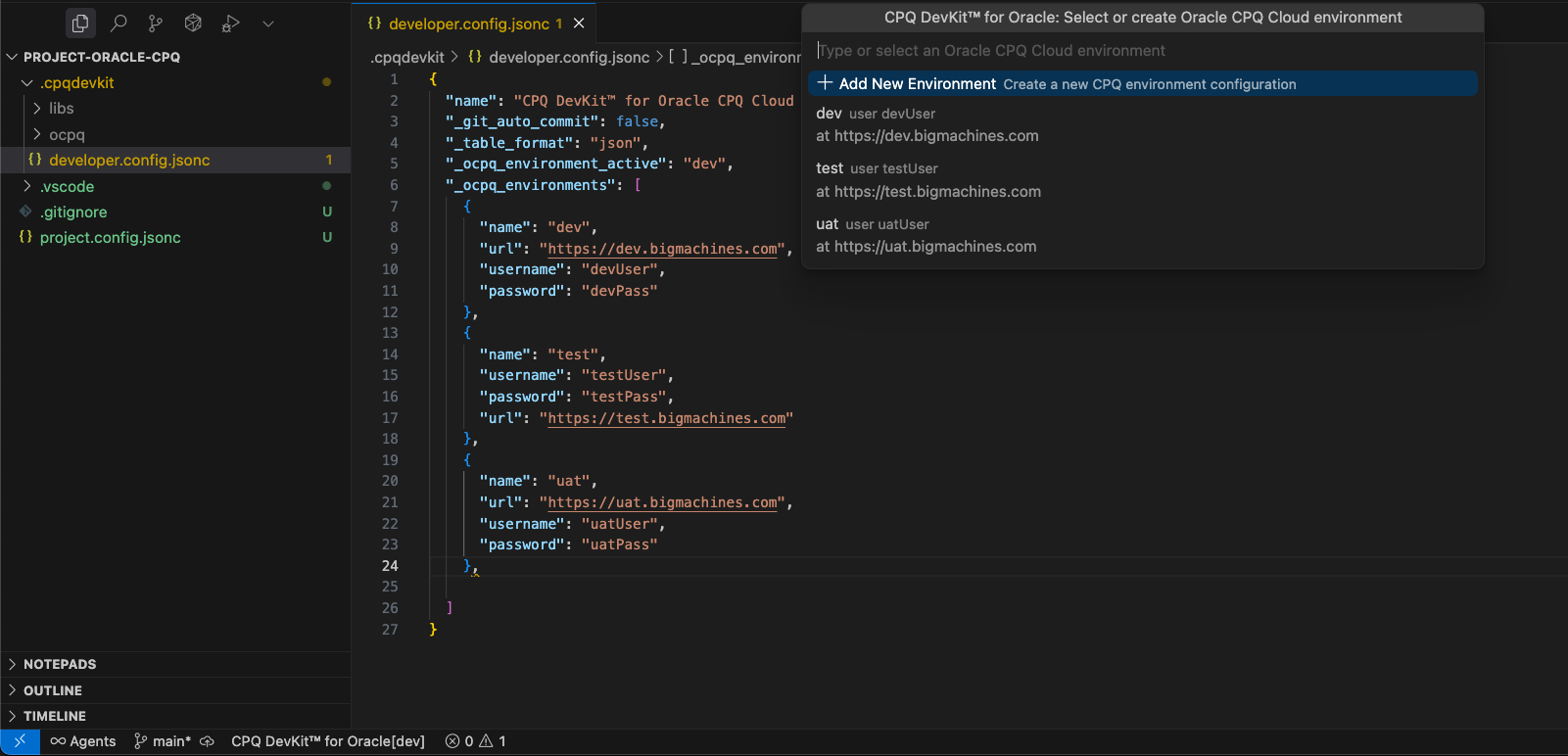
- अपने workspace में
project.config.jsoncऔर.cpqdevkit/developer.config.jsoncबनाएं।
मुख्य सुविधाएँ
Oracle® CPQ Cloud (BigMachines) के लिए CPQ DevKit™ में शामिल है:
- सुरक्षित और तेज़ autocomplete
.bml,.json,.xmlके लिए formatter/beautifier- सभी महत्वपूर्ण system attributes और constants
arrayऔरjsonarrayके लिए safe loop snippets*.bigmachines.comके साथ REST API आधारित workflows- pull के समय optional auto-commit (जब git initialized हो)
AI‑focused highlights
- BML/BMQL/XSL के लिए GPT‑style code completion और inline explainers
- सुरक्षित refactor suggestions के साथ quick fixes
- आम CPQ tasks के लिए curated templates/scaffolds
Support / Contact
किसी भी प्रश्न या issue के लिए Marketplace की Q&A tab का उपयोग करें या CPQ Consultant पर संपर्क करें।
LinkedIn पर भी जुड़ें: CPQ Consultant on LinkedIn।
*.bigmachines.com domain के साथ कैसे काम करें
Extension install करने के बाद VS Code settings में environment configuration (dev, test, prod) जोड़ें।
सुनिश्चित करें कि आपका BigMachines user:
FullAdminहोUser Administratorcheckbox enabled होAll Accessadministrator group में हो
फिर एक नया directory खोलें जहाँ आप CPQ project setup करना चाहते हैं।
📁 Configuration Files
Oracle extension के लिए project root में दो configuration files ज़रूरी हैं:
1. project.config.jsonc — Project Configuration
यह file project-wide folder/file conventions define करती है:
2. .cpqdevkit/developer.config.jsonc — Developer Configuration
यह file personal credentials/settings रखती है (इसे .gitignore में रखें):
Commands (संक्षेप)
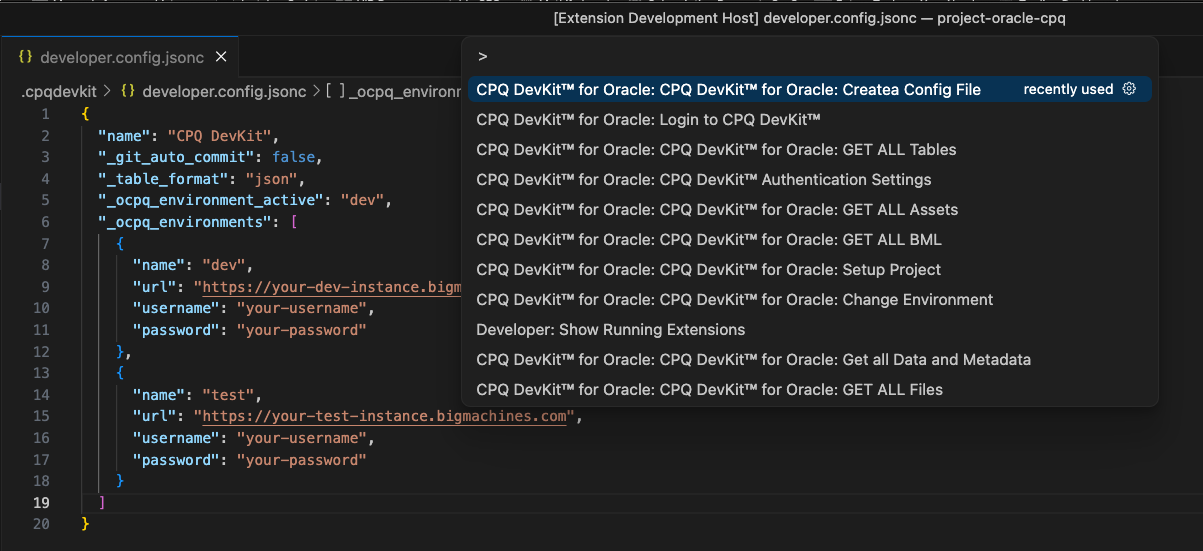
Command Palette (Ctrl/Cmd + Shift + P) खोलें और DevKit टाइप करें।
🔐 Authentication
Login to CPQ DevKit™Logout from CPQ DevKit™CPQ DevKit™ Authentication Settings
⚙️ Setup
CPQ DevKit™ for Oracle: Setup ProjectCPQ DevKit™ for Oracle: Create Config FileCPQ DevKit™ for Oracle: Change Environment
📥 Download
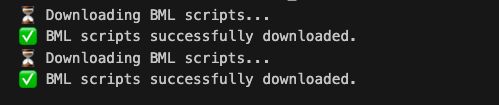
CPQ DevKit™ for Oracle: Get all Data and MetadataCPQ DevKit™ for Oracle: GET ALL FilesCPQ DevKit™ for Oracle: GET ALL AssetsCPQ DevKit™ for Oracle: GET ALL PartsCPQ DevKit™ for Oracle: GET ALL BMLCPQ DevKit™ for Oracle: GET ALL TablesCPQ DevKit™ for Oracle: GET ALL Shopping CartsCPQ DevKit™ for Oracle: GET ALL Product CatalogCPQ DevKit™ for Oracle: GET ALL ProductsCPQ DevKit™ for Oracle: GET Integrations
🚀 Deploy / Validate
CPQ DevKit™ for Oracle: DEPLOY FunctionsCPQ DevKit™ for Oracle: SAVE FunctionsCPQ DevKit™ for Oracle: TEST FunctionsCPQ DevKit™ for Oracle: VALIDATE Functions
🛠️ Utilities
CPQ DevKit™: Convert to JSONCPQ DevKit™: Convert to XMLCPQ DevKit™: Convert to CSV
Legal
Oracle और Java, Oracle और/या उसके affiliates के registered trademarks हैं।
Node.js, Joyent, Inc. और/या OpenJS Foundation का trademark है।
अन्य सभी नाम उनके संबंधित स्वामियों के trademark हो सकते हैं।
Frequently Asked Questions
CPQ DevKit™ for Oracle क्या है?
यह एक VS Code extension है जो Oracle CPQ development को REST v19 support, BML tooling, Data Tables, assets और parts workflows के साथ तेज़ बनाता है।
क्या यह multiple environments support करता है?
हाँ। आप dev/uat/prod environments configure करके Command Palette से जल्दी switch कर सकते हैं।
क्या मैं artifacts download/deploy कर सकता हूँ?
हाँ। आप BML, Data Tables, Files, Assets, Parts, Products और Integrations पर काम कर सकते हैं।
कौन‑कौन से OS supported हैं?
macOS, Windows, और Linux।